Update
Applications
Advantages:
For developer:
Companies:
History:
Advice:
Technologies:
Solutions
New eComStation:
Future:
OS/2 artefacts:
Gadgets:
Read the reports about tested notebooks and barebones
in the Hardware database .
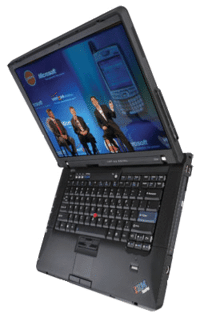
Notebooks
Good notebooks: IBM, Lenovo, ASUS, Dell.
This notebooks usually work: Toshiba, Samsung, Sony, LG, HP.
Black list: Acer notebooks have poor ACPI tables often. (Acer = Packard Bell, EMachines)
No information about: Nec, Fujitsu Siemens, Benq, MSI, RB, Panasonic.
(Market of notebooks: 2007 , 2006 )
How to select good notebook?
Attention!
Check the list of tested notebooks
(some models have broken ACPI tables)
SATA-controller should work in Compatible mode // check BIOS Setup
(Some notebooks support AHCI mode only )
check the chipset: Intel, NVidia or VIA
then *Ethernet* and WiFi should be supported;
Videoadapter is supported by Panorama VESA or Scitech SNAP;
If the notebook has wide-screen LCD then
Select ATI or Intel. Never buy notebooks with NVidia video-adapter.
the requirements of
Panorama Widescreen activator
(usually you should select model with Intel, ATI X1600 or higher;
even if SNAP supports the video adapter, it may fail to activate the wide mode)
PCMCIA usually is not supported or difficult to setup. Modem is not supported.
The notebook should be equipped with Power Off button. If keep the power off button pressed during 3 seconds then it should power off even if system is hanging.
Fashionable notebooks
Every manufacturer (ASUS, Sony, Acer, Dell, ..) is offering
light and compact notebooks.
By default, any non-standard/expensive notebook should work with eComStation.
Known problems:
mini-notebooks are using non-standard video modes.
Test the notebook before purchase.
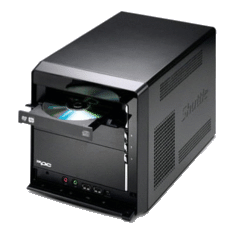
Barebones
eComStation should work on any barebone:
How to select good desktop/barebone?
To use eComStation, you should invest extra money some times.
Intel, NVidia, VIA chipsets are supported.
SATA-controller should work in Compatible mode // check BIOS Setup
(Some notebooks support AHCI mode only )
Video card - any card. If possible, buy the model supported by SNAP.
Sometimes, you should buy one more adapter if have problems with current one.
Onboard cardreaders are not supported.
So, buy USB Card-reader
Audio. HDAudio is supported (some models are unusable to watch movies)
Attention!
Check the list of tested barebones
(some models have broken ACPI tables)
All-in-One PC
Check the list of tested All-in-one models
(some models have broken ACPI tables)
Read IT news:
XtremeNotebooks
Sony VGC
Gateway's One
Dell XPS One