Does ACPI.PSD work
on your notebook?
(ACPI version 3.14)
Please press Fn + F1, Fn + F2, .. keys and collect the codes. Read more
  eComStation.Ru  eComStation.RU // russian-speaking users, developers and businessmen
@ @ @ @   ru · en · de · es · it · pt · cz · pl · fr
 
eComStation 2.0 :: News :: Articles :: Polls :: Software :: Hardware :: Projects :: Community

Shortly

Mark:
Average

Homepage


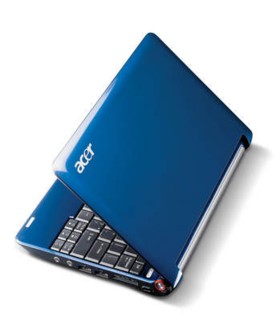
Acer -- Aspire One

The model features a 1.6 atom processor, 120gig harddrive (Not SSD), No CD, 8.9 display at 1024x600, Realtek wired ethernet and an atheros ar5007 wireless.

How to install eCS 2.0 RC5? Clone from other PC.

  • video -- Panorama VESA + widescreen activator
  • WIreless genmac driver from the eeepc worked with the same results as the eeepc has. Driver intermintently disconnects and reconnects.
  • there are problems with PS/2 Port Synaptics TouchPad
  • ACPI -- Device works good with SMP. Currently using /SMP /APIC parms with ACPI


Information is sent by: MrJinx -- 2008-09-21 11:16:05


Test the program:

Widescreen activator - enable widescreen for Intel

Comments:

Eugene Gorbunoff
2009-01-03 03:18:15

Discussing the installation of eComStation on Acer

[url]

melf
2009-01-07 12:01:54

In the end I exchanged the atheros wlan against intel 3945 abg [8086:4222]. It works great with xwlan 2.13. (Xwlan 3.x gives you a very weak signal so I din't think the card worked at first.) Exchanging card is quite easy with instructions on video: [url]

With xwlan 2.13 you lose the WPA possibility but thats overweighed by the great functionality.

melf
2009-01-07 13:29:02

UPDATE:

I seem to have been just to positive. There is dropouts also with this card!! There is a longer "uptime" than with atheros but also a bit longer "down" time.

melf
2009-01-07 14:03:11

Seems not to be so bad anyway..see [url]

melf
2009-01-08 10:34:29

Everything wors now - with xwlan 3.10

[url]

Eugene Gorbunoff
2009-02-03 03:13:23

[url]

melf
2010-06-04 12:29:11

To install with USB cdrom: 1)To the proper settings in preboot menu to install by USB-CD 2)Proceed install and await messages of disk-layout and SYS-messages. 3)Pull out the usb cord to the USB-CD 4)Press Ctrl+Alt+Del 4) Put cord in again, and install will proceed. 5)eCS is unable to make Acer One to reboot, so turn it off when screen is black and restart 6)Pull out USB-CD cord before booting and when eCS boots, put it in again. 7) Don't forget you have to hold Fn and press F7 twice to make touchpad work (of some reason it will be in off-mode when starting up)8)Run ACPI guide and add /SMP /APIC.


Comment this note (add comments, don't expect that other users will reply or join discussions here)
  

Your Name:

Your E-Mail:

CODE:
......

Your Comment:


[+ Post new report]   [Discuss drivers in the forum]


Ideas for the developers:

DevCon: DevCon site -- Many libraries and useful links.

Hardware

Motherboards
SCSI/IDE/...-controllers
Disk drives
CD/DVD
Video-cards
Audio-cards
TV/FM-tuners
Keyboards/mouses/...
Network adapters
Modems
Printers
Scaners
PDA/mobile/...
Photo/video-camers
Backup devices
Notebooks/barebones
Industrial devices
Other

Most commented news of the week: Opinion exchange: eCS as server for "small gadgets"


Most commented article of a month: Creation of distribution package for WarpIn installer (Russian)


Last active poll: Which new features of eComStation 2.0 are most important to you?

Most commented news of the month: Uniaud driver is usable now

IBM OS/2 Warp

© 2001 - 2010 eCo Software, All rights reserved
eComStation is a registered trademark of Serenity Systems International
OS/2 Warp is a registered trademark of IBM Corporation